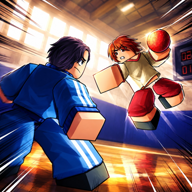
Do I throw on press or release?
Release. M1 hold is charge; letting go throws.

Dodgeball Zero throwing: hold M1 to charge, E hold to curve, Space+M1 slow fall while charging. No speed numbers yet. Verified listing October 2026.
M1 charge, E curve, Space slow fall.
~5 min read
Dodgeball Zero throwing on Place 111893837500280 ([EVENT🎃] Dodgeball: Zero): hold M1 to charge, release to throw. Hold E while charging to curve. Space + hold M1 slow-falls while charging in the air. No published ball-speed numbers — TBA. Play on Roblox.
| Fact | Detail |
|---|---|
| Place | 111893837500280 |
| Listing | [EVENT🎃] Dodgeball: Zero |
| Group | Dodgeball: Zero Production |
| Platform | Roblox · Desktop, Console, Mobile, Tablet |
| PC throw | M1 hold charge → release throw |
| PC curve | E hold while charging |
| Air | Space + hold M1 slow fall while charging |
| Pad throw / curve | Hold RT/R2 · hold LT/L2 while charging |
| Speed / damage | TBA — not on the listing |
| Verified | October 29, 2026 |
Matched by build plan, shared topics, and guide progression — not random related links.
Hold, then release. M1 Hold is listed as Charge / Throw Ball. The throw happens when you let go, not when you first press.
| Step | PC | Controller |
|---|---|---|
| Start charge | Hold M1 | Hold RT / R2 |
| Keep charging | Stay held | Stay held |
| Throw | Release M1 | Release RT / R2 |
| Cancel | TBA — listing does not name a cancel key | TBA |
A tap is a tiny charge at best. Drill one hold until the release is a decision. Chat focus will eat the hold — click the court first (controls).
E Hold is Curve Ball. Hold E while the throw is charging, then release M1. Holding E after the ball is gone is too late.
| Input | Window | Note |
|---|---|---|
| E hold | During M1 charge | Listing PC curve |
| LT / L2 hold | During RT/R2 charge | Listing pad curve |
| E after release | Too late | Ball already thrown |
| Curve without a charge | Not listed | Start the hold-to-charge first |
Straight charges lose to anyone standing on the line. Curve is the listing’s answer — not a named special from another sports wiki. Direction and radius stay TBA. Use it when a straight lane is covered, then leave the line with dash or slide.
Space + Hold M1 is Slow Fall While Charging. The slow fall applies while charging. Jumping with no charge is just a jump (A / ✕ on pad).
You are still holding the charge button. Release to throw. If you let go of M1 to “reset,” you throw. Pair air charges with movement only after ground throws are clean — movement.
How long slow fall lasts, whether it drains the charge, and whether you can curve in the air are TBA. Hold E during an air charge if you need curve; do not assume extra air time from other games.
Hold RT / R2 to throw. Hold LT / L2 while charging to curve. Classic layout does not move throw off the triggers.
| Action | Default pad | Classic pad |
|---|---|---|
| Throw | Hold RT / R2 | Same |
| Curve | Hold LT / L2 while charging | Same |
| Jump | A / ✕ | Same |
| Dash (after throw) | RB / R1 | X / □ |
| Slide (after throw) | LB / L1 while running | B / ○ |
Treat RT like M1: hold to charge, release to throw. A bump is the pad version of a tap-throw. Style Skill (RS/R3) is not a throw.
No. Charge duration, ball speed, curve radius, and damage are TBA. This page will not invent mph, stun times, or i-frames on the ball.
| Stat | Status |
|---|---|
| Charge time | TBA |
| Ball speed | TBA |
| Curve radius | TBA |
| Damage | TBA |
| Slow-fall duration | TBA |
| Cancel bind | TBA |
Basketball Zero, DodgeBall X, and generic dodgeball rulebooks are the wrong sources. If a recap prints a speed, mark it Unverified until this Place’s listing or HUD agrees.
Casual 4v4 on an 8-player server. Ranked 1v1 waits until these three releases are boring.
The listing does not print a “best angle.” Use the situation: if the lane in front of you is occupied, hold E (or LT) during the charge. If it is open, a straight charge is fewer inputs.
| Situation | Throw choice | Then |
|---|---|---|
| Open lane, target readable | Straight charge (M1 / RT only) | Dash or slide off the line |
| Body covering the straight line | Hold E / LT during charge, then release | Do not stand and admire the curve |
| You are already in the air | Space + hold M1; add E if you still need curve | Slow fall only while charging |
| You tapped by accident | Start a new hold — the tap is not a ranked plan | Click off chat if keys felt dead |
| You want a named “special throw” | Does not exist on the listing | Curve is E hold, not a kit name |
G is Use Ability. E is Curve Ball. Mixing them is how people throw a straight ball and wonder why G did nothing. Ability names stay TBA on abilities.
This wiki will not claim curved throws “do more.” Damage is TBA. Ranked cares that the ball is hard to stand in front of — then you move.
Next: leave the throw line with Dodgeball Zero dash and slide.
Binds refresh: controls.
Release. M1 hold is charge; letting go throws.
Hold E while the throw is charging, not after the ball is already gone.
No. Throw stays on RT/R2. Classic remaps Dash and Slide only.
The listing ties curve to a hold during charge. Start the charge first.
Unpublished. TBA.
No. These binds are Place 111893837500280 only.
Matched by build plan, shared topics, and guide progression — not random related links.